How do I add a Lignes d'Azur card to Apple Wallet?
On iPhone
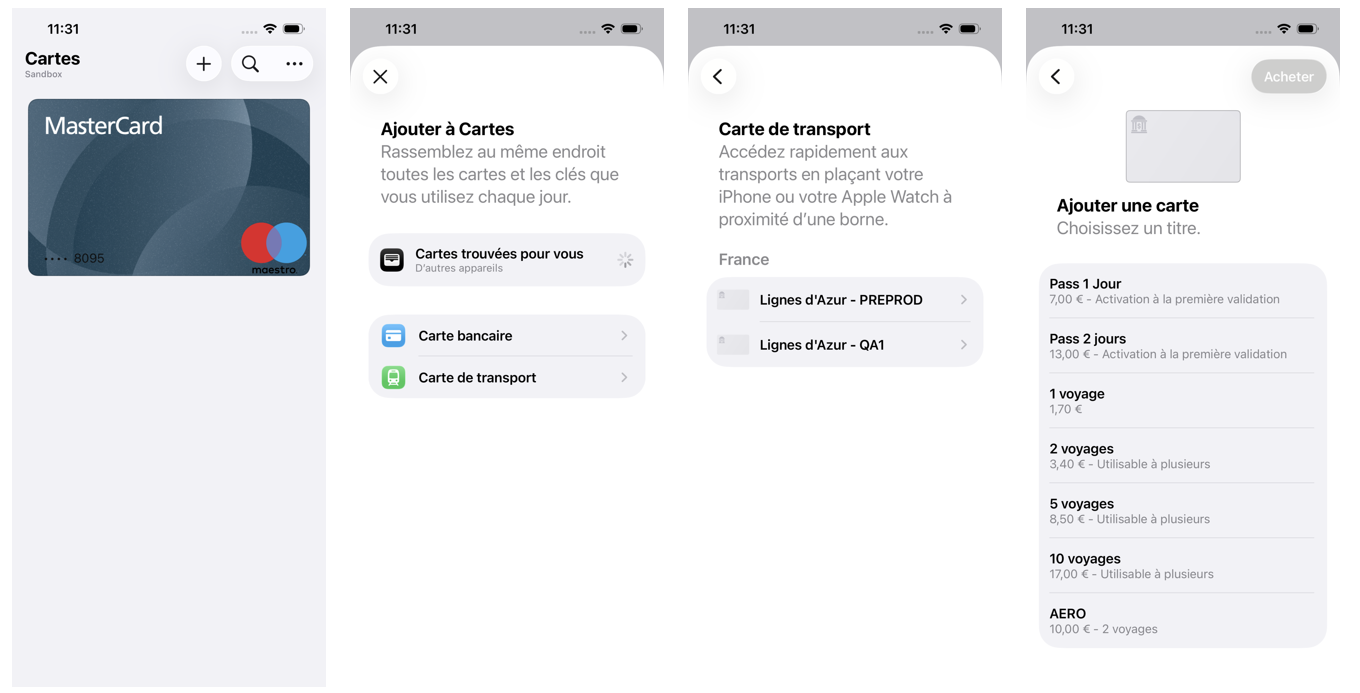
- In the Wallet app, tap the + button
- Tap Travel Card.
- Choose Lignes d'Azur card, you can search by location or card name.
- Tap Continue
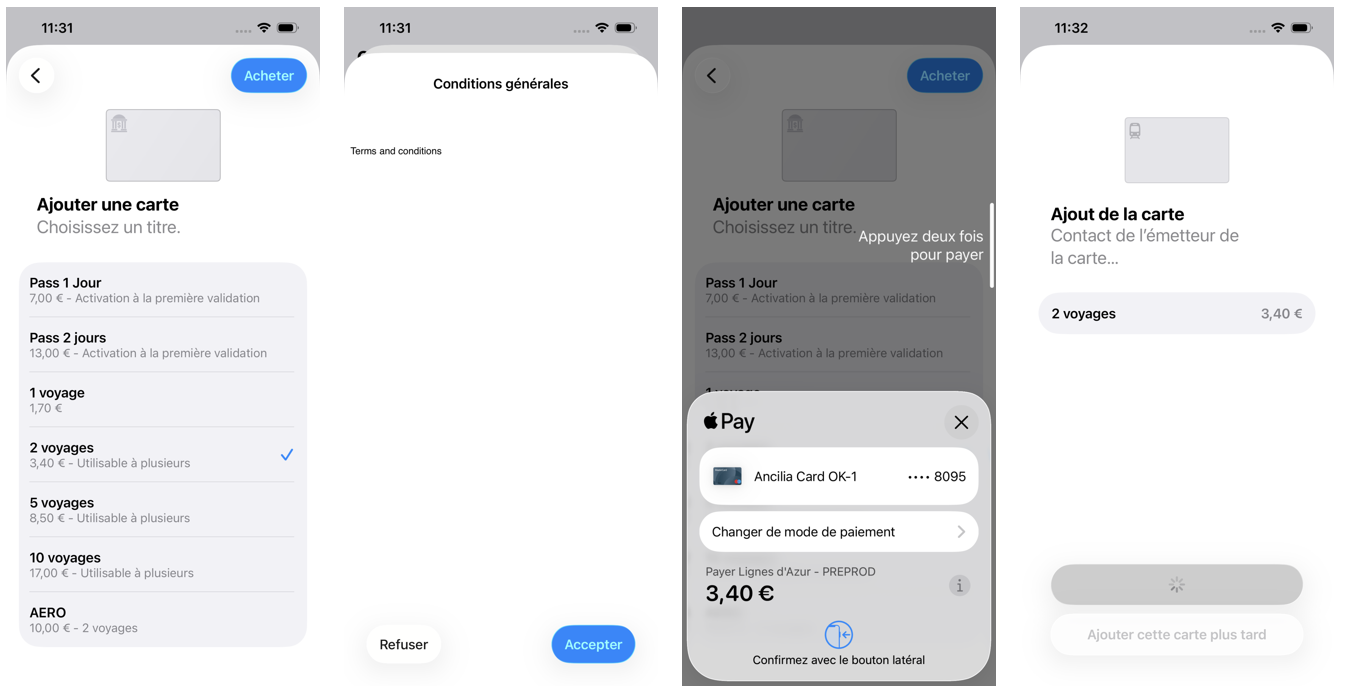
- Choose a travel pass to purchase.
- Follow the steps on the screen to confirm your purchase and add your Lignes d'Azur card.
On Apple Watch
- In the Wallet app, tap the + button
- Tap Add Card and then choose Travel Card
- Choose Lignes d'Azur card
- Tap Continue
- Choose a travel pass to purchase.
- Follow the steps on the screen to confirm your purchase and add your Lignes d'Azur card.
On Lignes d'Azur Tickets app
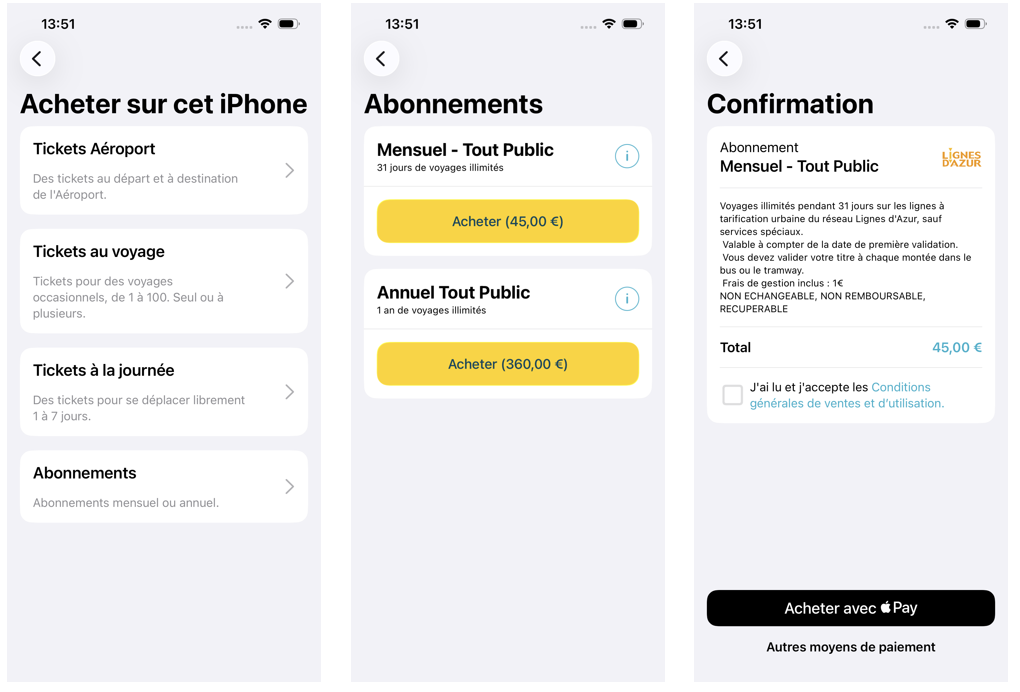
- In Lignes d'Azur Tickets app, tap "Buy a ticket"
- Choose a travel pass to purchase.
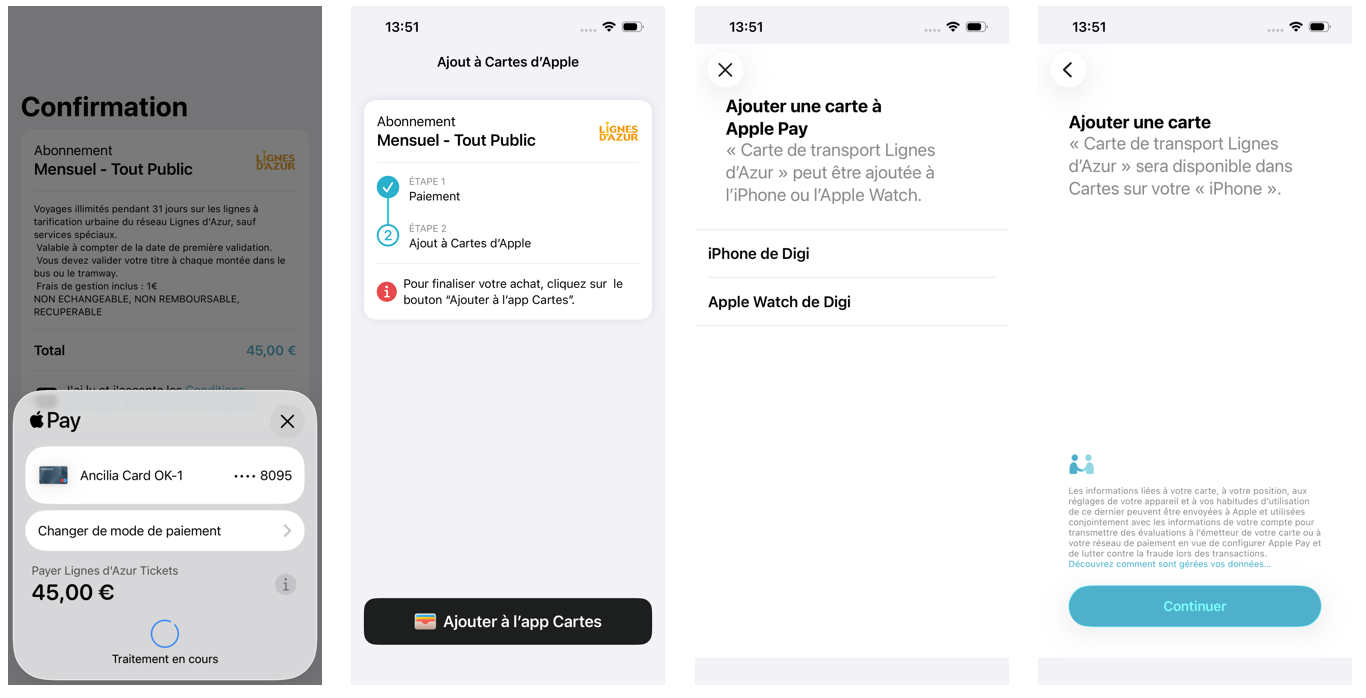
- Follow the steps on the screen to confirm your purchase and add your Lignes d'Azur card.
Aucun résultat
